Immount

Immich in your Finder.

Your Immich library as a folder on your Mac.

Free and open source · macOS 14 or later
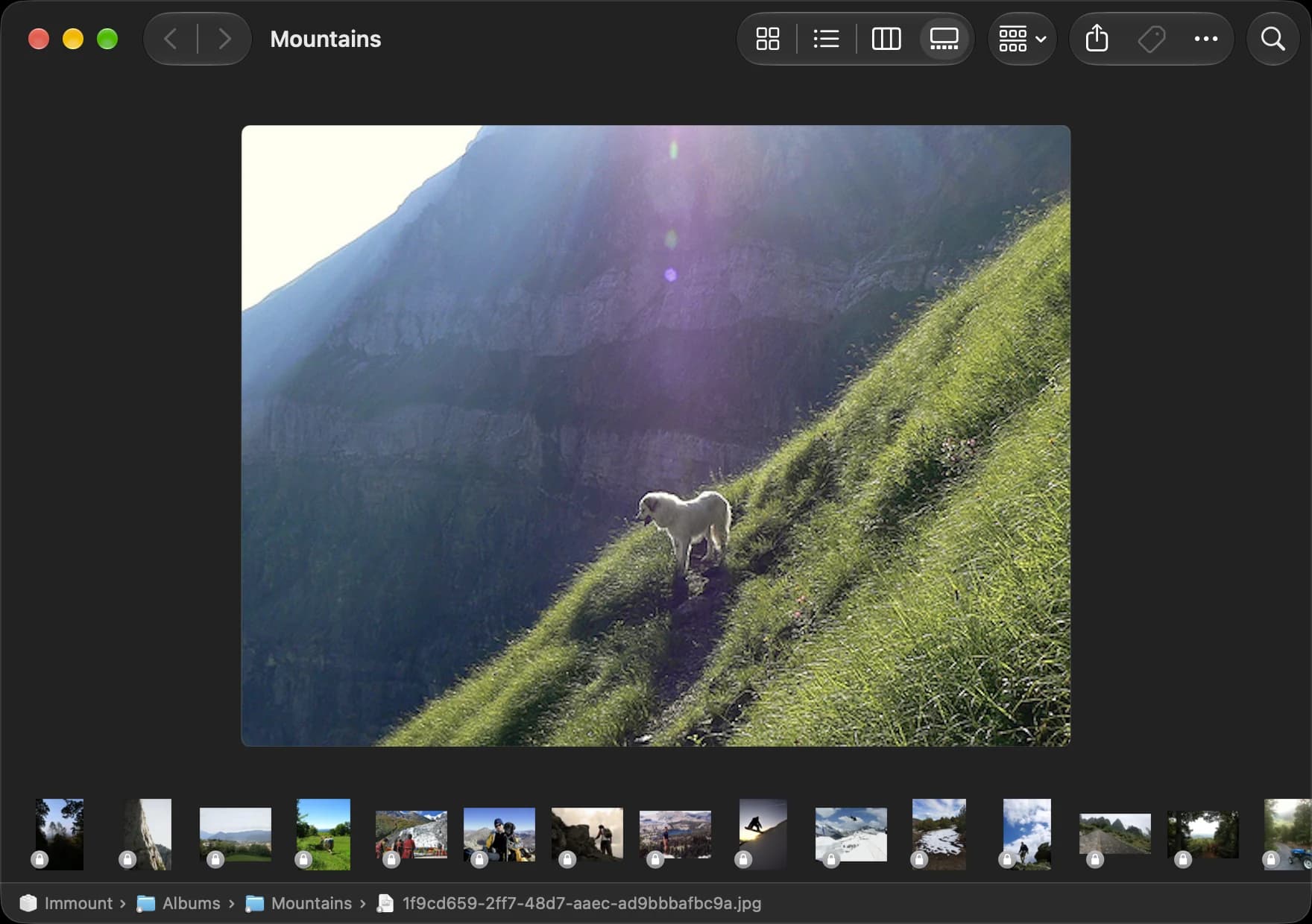
A Finder window in gallery view showing the Mountains album from an Immich server, with a large photo and a strip of thumbnails.

Your library, where your files already are.

Just a folder.
Immich sits in the Finder sidebar, next to iCloud Drive.
Nothing to sync.
Originals download only when you open them.
Always current.
New photos and albums appear within seconds.
Faster at home.
Talks to your server directly on your home Wi-Fi.
Read-only.
Immount never changes anything on your server.
Private.
Your API key stays in the Keychain.

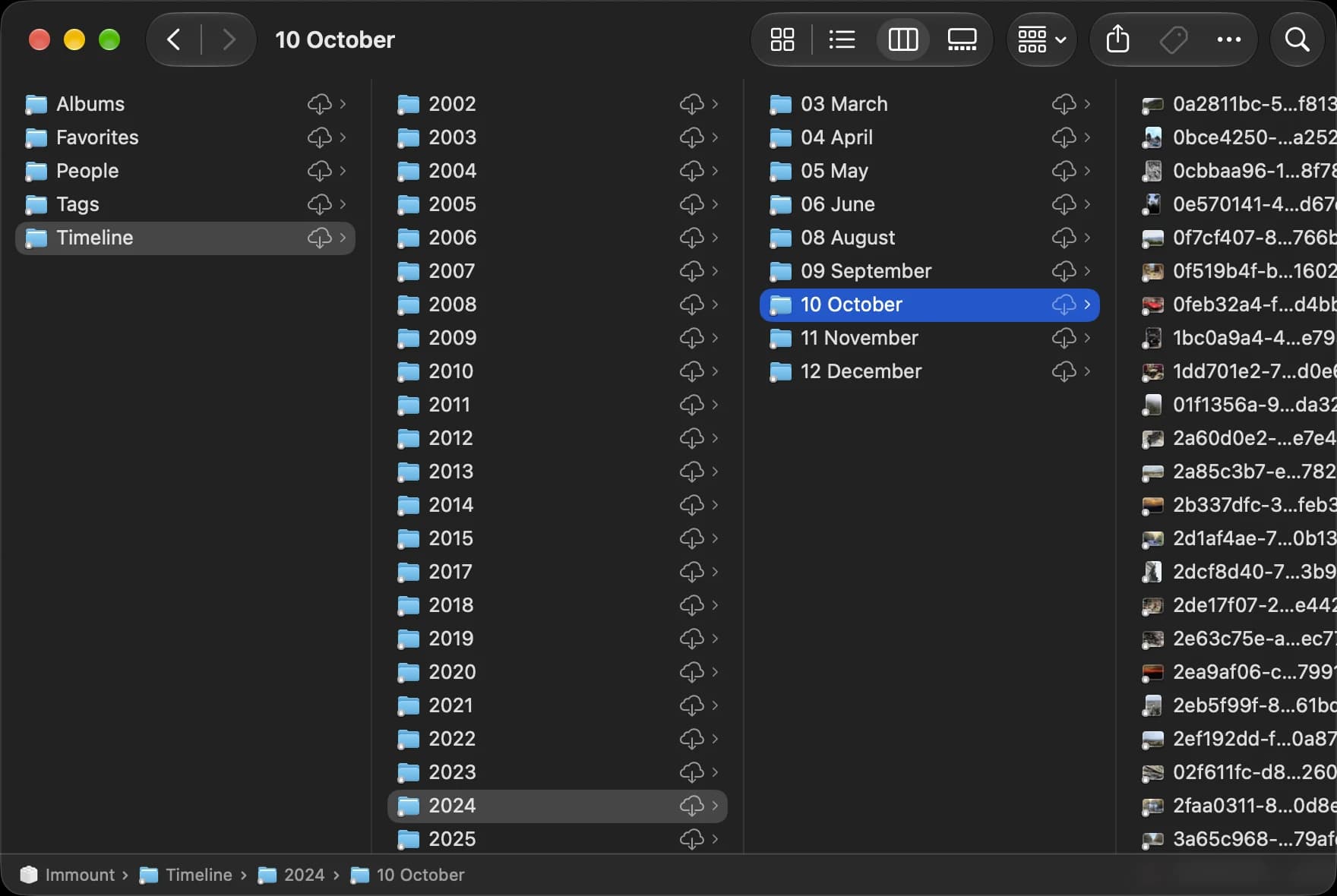
Every photo, one folder away.

  • Albums
  • Favorites
  • People
  • Tags
  • Timeline
A Finder window in column view showing Immount's Timeline folder, organized by year and month.

Quietly keeps Finder in sync.

Lives in the menu bar, or nowhere at all.
Quit it and the folder goes away.
Feels like it came with your Mac.

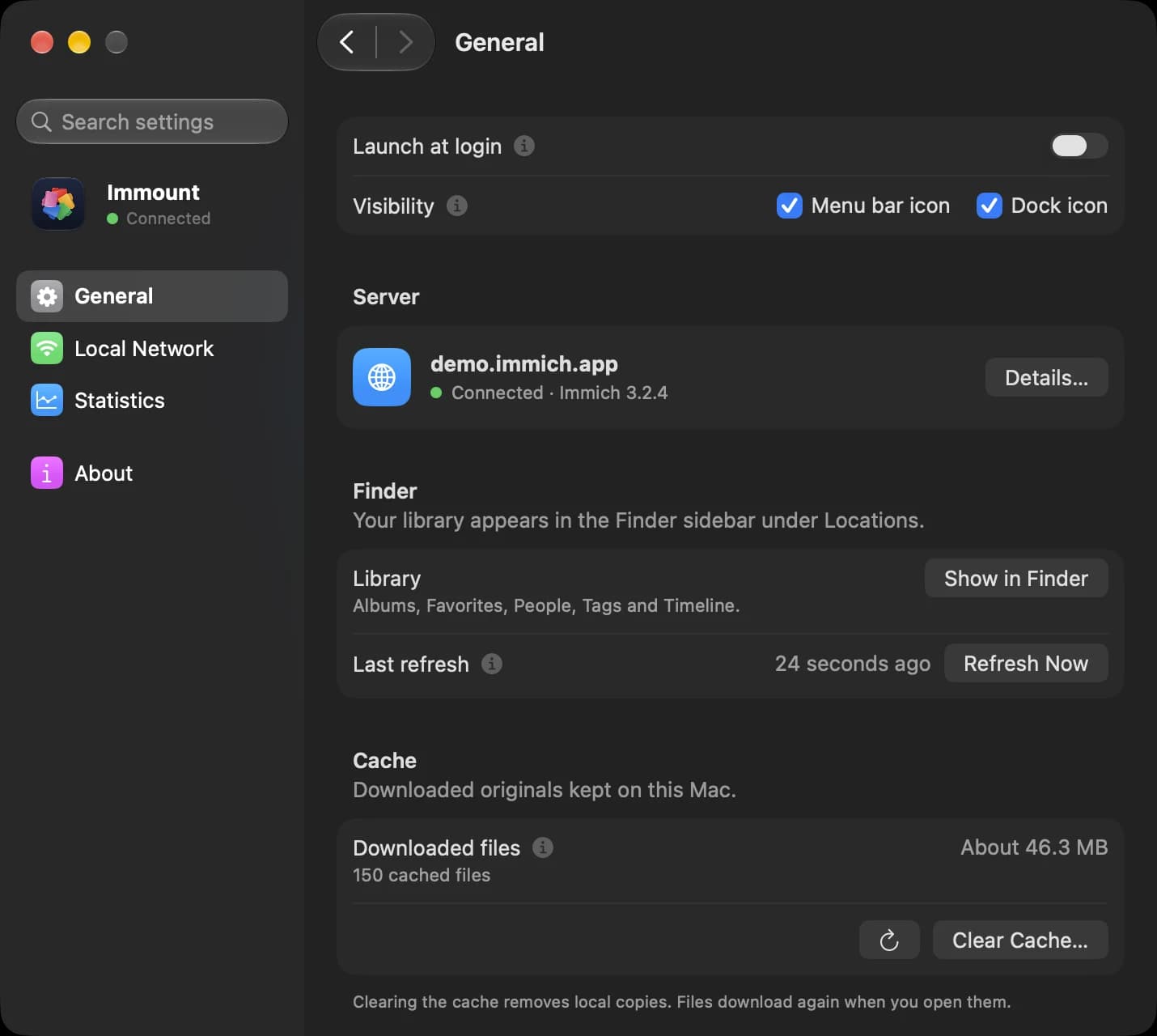
Immount's General settings, showing the connected server, the Finder library and the cache.
One window for the server, Finder, cache and visibility.

Screenshots use the public Immich demo server.

What's new.

Immount 1.0.2

Released

v1.0.2

Fixed

  • Keep the dock icon hidden after reopening the app from finder or spotlight
  • Keep using the local server after a cancelled reachability probe

Questions and answers.